BRX Prod is currently in Beta. While in beta we are offering 40% license discounts

Pricing

Documentation

BRX Productivity is built for speed — and that includes how you learn to use it

Everything You Need, Right Inside WordPress

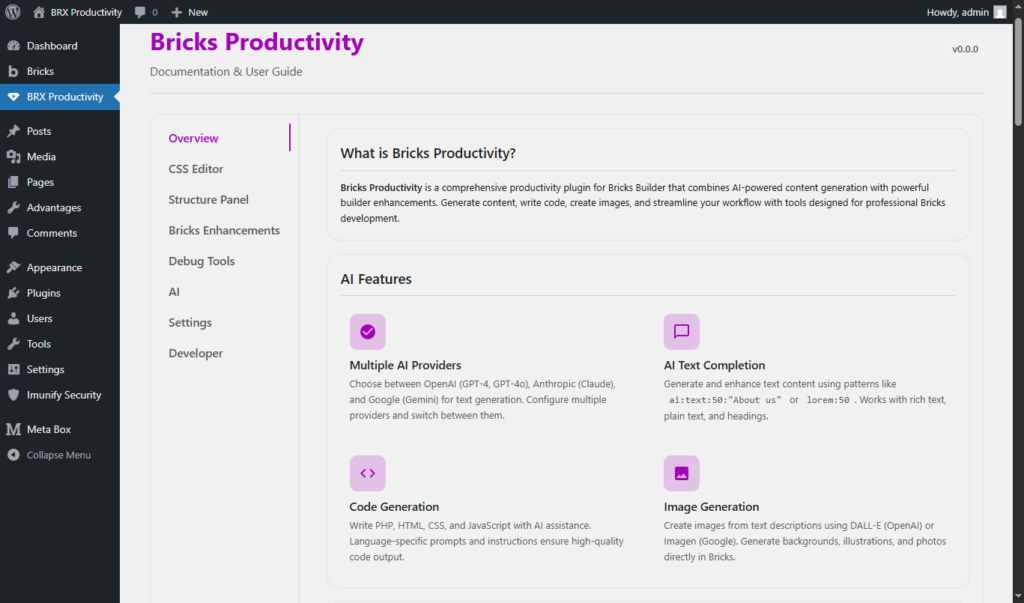
BRX Productivity includes built-in documentation directly in your WordPress dashboard, no external manuals, no searching, no switching tabs.

With BRX Productivity, help is always just one click away:

WordPress Dashboard → BRX Productivity

Documentation

What You’ll Find Inside the Plugin

  • The in-dashboard documentation includes:

    • Feature Overview
      Clear explanations of what each tool does and when to use it

    • Visual Examples
      Screenshots and UI references for easier understanding

    • Visual Examples
      Screenshots and UI references for easier understanding

    • Best Practices
      Tips for freelancers and agencies working with Bricks Builder

    • Developer Notes
      Advanced usage, filters, and hooks

  • Everything is organized by category so you can quickly jump to:

    • CSS Editor

    • Structure Panel

    • Bricks Enhancements

    • Debug Tools

    • AI Features

    • Settings & Developer Options

Ready to Speed Up Your Workflow?

Join freelancers and agencies who build faster with BRX Pro